

The AI Coding for Excel Course
Learn how to use AI to write VBA macros & Office Scripts to automate Excel,
even if you've never written a line of code.
Join thousands of people that are working smarter with AI
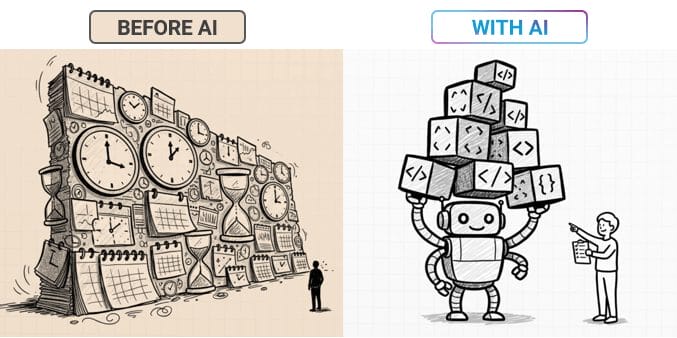
Writing Code Used to Take Years to Learn. Now It Takes Minutes.
AI can now write VBA macros, Office Scripts, and Python code for Excel in seconds. But there's a catch.
Most people paste in a prompt, get code back, and have no idea if it's actually going to work, or what to do when it breaks.
You might be wondering:
The truth is: Advanced automation used to be reserved for coders.
But AI makes it possible for anyone, as long as you know how to put it to work.
Introducing
AI Coding for Excel
The step-by-step system to learn how to automate any task in Excel so you can save HOURS and become indispensable.
Who the Course is For
This isn't a programming class. This is a practical, hands-on program for Excel users who want to automate their work using AI as the coding engine.
AI-generated code is no longer experimental. It's expected.

Studies show that 66% of business leaders are looking for candidates with AI skills.
And job postings on LinkedIn that mention "AI Literacy" have grown 600% in the last year.

And knowing how to code with AI gives you a leg up over everyone.
In this course, you'll build that edge: describe what you want in plain English, get working code back from AI, and know enough to test it and fix it when something breaks.
This course is designed for Excel users with no coding background, as well as people who already know some VBA and want to 10x their speed with AI.
What's Covered in the Course
Topics
Real Examples from Inside the Course
This Isn't Theory. Here's Exactly What You'll Build.
Turn a 4-Hour Reporting Task into One Click
Every week you rebuild the same slides by hand, copying charts and tables from Excel into PowerPoint. You'll learn how to build a macro that turns the manual process into a button click.
Get Working Code on the First Try, Not the Tenth
AI keeps guessing wrong because it doesn't understand your workbook. You'll learn how to use the Macro Recorder to give AI real context, so it writes working code the first time and saves you hours with writing prompts.
Split One File into Dozens, Automatically
One master file needs to become 20 workbooks, each named by person or region. You'll learn how to write a macro that splits, names, and saves every file for you, no copy-paste required.
Automation That Isn't Stuck on Your Desktop
Every time a file export is saved to SharePoint, you need to format it for reporting. You'll learn to use Power Automate and Office Scripts to automatically modify files that are uploaded to SharePoint by any user.
By the End of This Course
You'll Be Able To
Write VBA Macros with AI
Turn plain English instructions into working macros in minutes.
Debug Broken Code
Understand enough to spot what's wrong and fix it with AI's help.
Build UserForms
Create professional input forms and buttons to improve data quality.
Automate Across Apps
Build macros that push data from Excel into PowerPoint and Word, cutting hours-long reporting tasks down to one click.
Build Cloud Automations
Use Office Scripts and Power Automate to run your automations on any device, not just desktop Excel.
Analyze Data with Python
Use Python in Excel to perform advanced data analysis and create visualizations that aren't possible with regular Excel charts.
Includes Training on All Popular AI Tools
Copilot is built into Excel, but it's not the only AI that can write your code.
You'll learn how to use Claude (Artifacts), Gemini (Canvas), and ChatGPT (Canvas) alongside Copilot, each has different strengths for writing and testing code before it ever touches your workbook.

In short: You'll become the go-to person who can automate anything in Excel, without waiting on IT.
Add AI Coding to Your LinkedIn Profile
When you complete the course, you earn a Certificate of Completion.
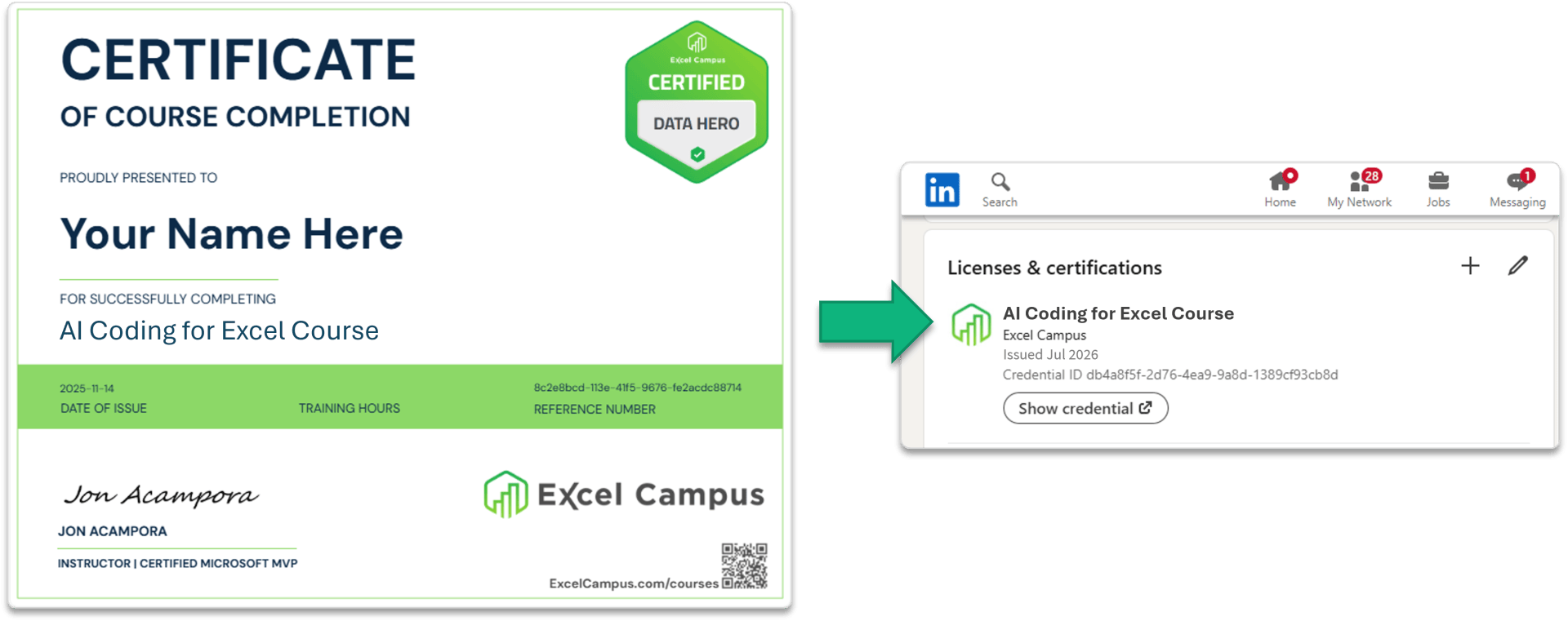
The certificate can easily be added to your LinkedIn profile and shared on many other social platforms. It can also be printed and framed.
The number of employers looking for people with AI skills is rapidly increasing. Stand out from the crowd by letting everyone know that you have invested in future-proofing your skills.
What's Included
Everything You Need to Master AI in Excel
Step-by-step video lessons
AI prompt templates & guides
Direct support with comments section on every lesson page
Access via our mobile app or any device
Downloadable Excel practice files
Lifetime access to all course materials
Certificate of Completion that you can add to your LinkedIn Profile
30-day money-back guarantee
Get Lifetime Access for:
$197 $97 (Save 50%)
Join the AI Coding for Excel Course
What Our Happy Students
Are Saying About Our AI Courses
Meet Your Instructor


Jon Acampora
Microsoft MVP
Excel Campus Founder
15+ Years Teaching Experience
My mission is simple: to help you succeed with Excel. After experiencing the "overtime blues" in my own corporate finance career, I dedicated myself to mastering the tools that create automation and drive real business value.
As a Microsoft MVP for over 10 years, I've had the privilege of helping millions of viewers on YouTube and my blog (excelcampus.com) and guiding thousands of students in my training programs to become the Excel Heroes of their organizations. I've also developed several commercial Excel add-ins and helped thousands of people learn VBA through my highly acclaimed VBA Pro Course.
Now, I want to share that same blueprint with you!
Trusted by Professionals at World-Class Companies:
Frequently Asked Questions
No. The course is designed for Excel users with zero coding background. You'll learn how to direct AI to write the code for you, and how to understand enough of it to make changes.
No. You'll see examples using free tools like Copilot, ChatGPT, Claude, and Gemini. Some advanced examples use Copilot Premium, but the course includes free-tool alternatives throughout.
No. Many of the examples use free AI tools like ChatGPT, which means you can use older versions of Excel like Excel 2016 or later. Some examples use the latest Copilot features in Excel, which means you will need Microsoft 365 and a Copilot license.
But we try to include a mix of both examples, so the course is applicable to everyone.
You'll learn core VBA concepts (variables, loops, IF statements) as you go, but the focus is on using AI to write and troubleshoot code rather than memorizing syntax.
You get lifetime access to the course. You can watch whenever you want, as often as you want. You can also access the course from any device including our mobile app.
No. The two courses complement each other, but you can take either one first depending on whether you want to focus on AI-powered analysis (Literacy) or building automations and code (Coding).
The course includes about two hours of video training. Each video lesson is about 5 to 10 minutes long, making it easy to consume.
Our learning platform tracks your completion progress and allows you to easily pick up where you left off.
We encourage you to take additional time to practice the skills you learn, but it's not required.
There is a comments section on every lesson page where you can ask questions. Our team here at Excel Campus will help answer your questions.
Most lessons include a companion Excel file where you can follow along with the video lesson and practice.
The video lessons are short, usually 5 to 10 minutes in length, which makes it easy to consume the training and quickly apply it to your work.

You Have My Guarantee.
My goal is to help you learn AI and Excel so you can use your time more productively (instead of wasting it on tedious data preparation).
These skills will allow you to easily maximize efficiency at your organization and help you gain exposure to top management. But if they don't?
You get your money back. No questions asked.
Join AI Coding for Excel
During This Limited Time Offer
For just $197 $97, you'll get lifetime access to our course content PLUS our awesome Excel Campus bonuses worth over $400.

$197 $97 USD Save 50%
Join Today and Get Lifetime Access
AI-Powered Automation in Excel is Already Here
Don't get left behind, get ahead of it.
Learn how to turn AI into your Excel developer and unlock automation that will save you hours every week.
Lifetime Access for Only $197 $97 (Save 50%)
© 2026 EXCEL CAMPUS. ALL RIGHTS RESERVED. | Privacy Policy | Contact Us